
Tyton MCP
Set up Meta Pixel and the Conversions API with your AI agent
Set up the Facebook Conversions API with Tyton MCP and your AI agent. Simple setup, serious infrastructure.
Free for 1 site and 10,000 events a month. No card needed.
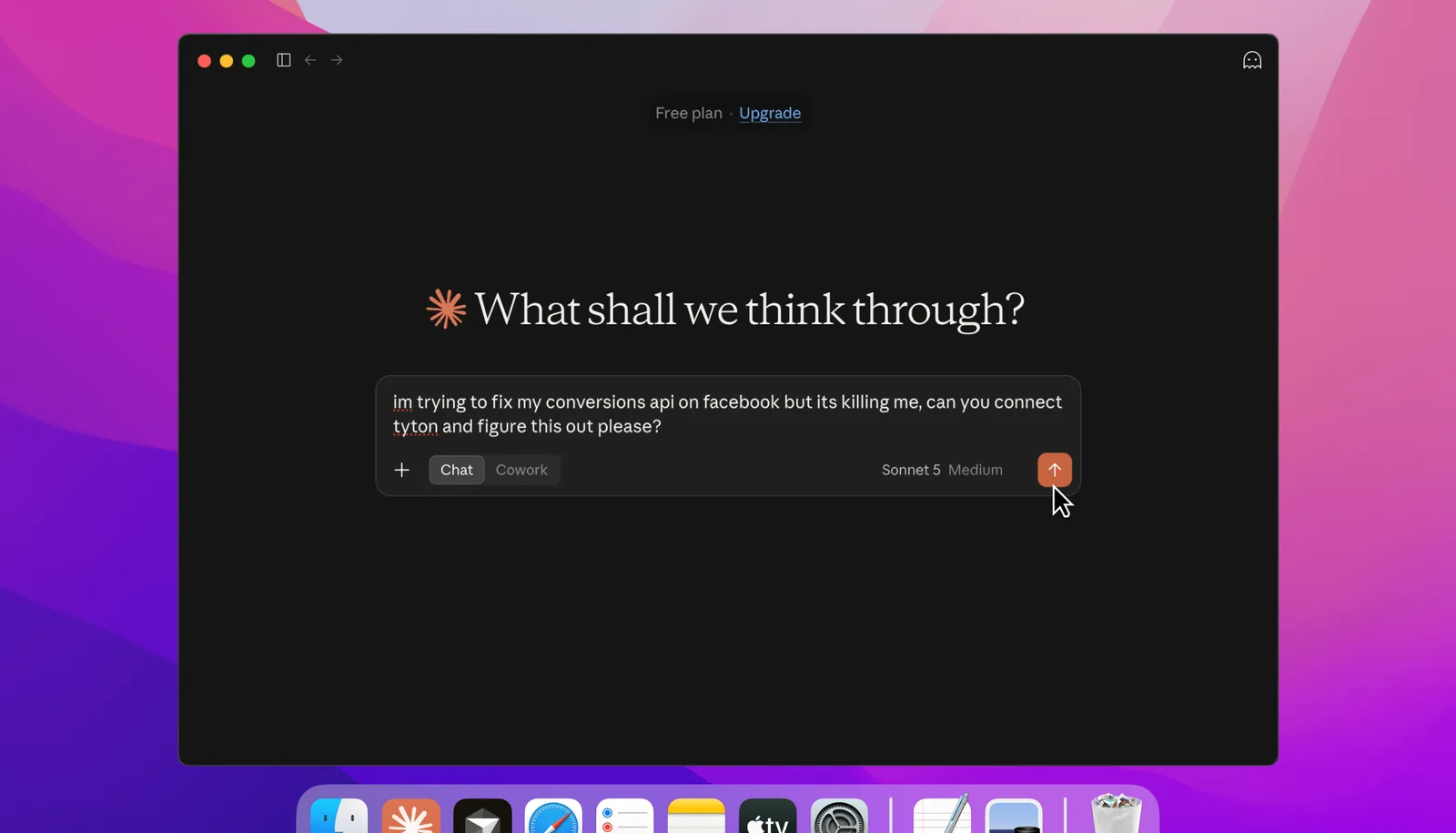
Meta tracking has a reputation for pain: the pixel, the Conversions API, deduplication, events that quietly break. It does not have to be that way, not with an AI agent doing the wiring.
Free to start
The Free plan covers 1 site and 10,000 events a month, with no card. Not ready to sign up? Run the free audit with your agent first.
A plan you approve
Review a clear map of the actions you want to track, where they happen, and what confirms each one really succeeded.
Browser and server events
Track what happens in the browser and, where you have a backend, send confirmed actions from the server through Tyton's Conversions API delivery.
Matching event IDs
Give browser and server reports of one action the same event name and ID, helping Meta recognize that they belong together.
Delivery status you can read
See whether Tyton received an event, sent it to Meta, is retrying, or needs attention, so you know where to look next.
Consent-aware setup
Connect Tyton to your site's consent choices so browser tracking waits for permission and stops when a visitor withdraws it.
Free Chrome extension
Check your Meta Pixel inside Events Manager.
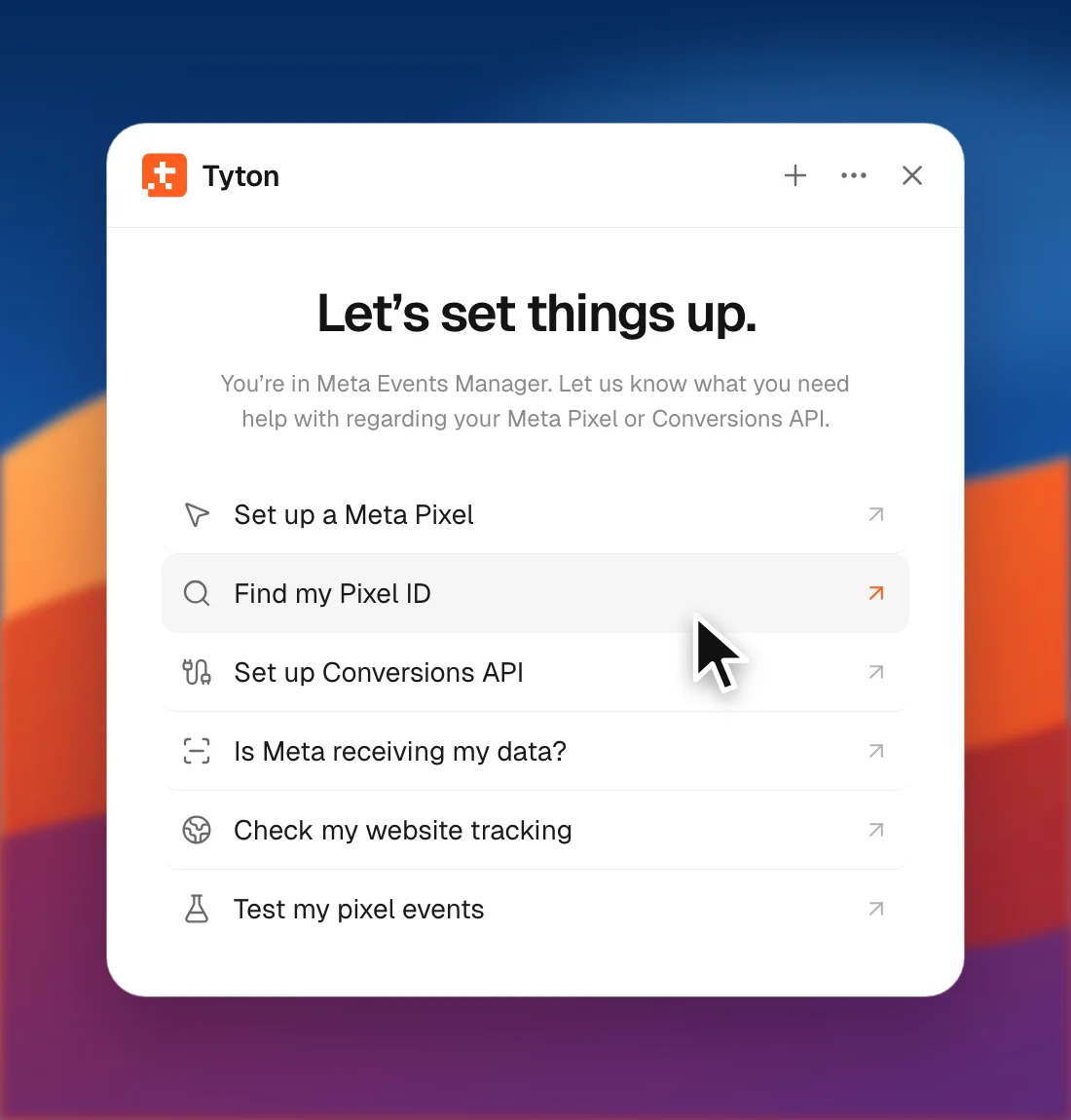
Tyton works inside Meta Events Manager. It checks and sets up your Meta Pixel and Conversions API step by step, and nothing changes without your approval.
- Find your Pixel ID and the dataset it belongs to
- See whether Meta receives your data, per event
- Set up your Pixel with guided steps
Free for Chrome and other Chromium browsers.
Set up in under a minute.
Connect your agent first. The audit is free, with no account needed. Going live comes after setup and checks.
Pick your tool
Choose the agent you use for your website.
Connect Tyton
Copy this into your agent’s connection settings.
{
  "mcpServers": {
    "tyton": {
      "url": "https://mcp.usetyton.com/audit"
    }
  }
}Cursor · Paste into ~/.cursor/mcp.json
Open in CursorAsk for your free audit
Send your agent your website URL. It will check your tracking and explain what to fix before you decide what’s next.
Not sure what to ask?
Pick your AI tool to get started, or copy a prompt.
Start free. Upgrade when you grow.
Free for 1 site and 10,000 events a month. Move to Starter or Pro when you need more.
Free
$0/mo
For trying Tyton on one website.
Starter
$17/mo
For tracking one website, from setup to everyday checks.
Pro
Best Value$49/mo
For a few websites, with more events and a longer history.
Each browser event and each server copy counts toward your monthly events. On Free, server tracking pauses at 10,000 until the 1st of next month or until you upgrade.
30-day money-back guarantee on your first successful subscription payment. Terms apply.
You’ll choose your plan after creating your account.
A few things you might be wondering.
What you need, what Tyton handles, and what happens next.
Explore the guidesWhat does Tyton actually do?
Tyton helps you and your agent set up Meta Pixel and Conversions API tracking. Your agent works in your site and backend to add the right events. Tyton guides the plan, gives you a way to test it, runs server event delivery, and shows you what happened. You stay in control of what goes live.
See how setup works
Is there a free plan?
Yes. The Free plan covers 1 site and 10,000 events a month, with 7 days of event history and no card. A browser event and its server copy count as 2 events. If a site reaches 10,000, server tracking pauses until the 1st of next month or until you upgrade. The browser Pixel keeps running.
Compare plans
Can I try the audit without an account?
Yes. Connect an agent that supports MCP, share your public site URL, and ask it to run the free audit. You do not need a Tyton account or payment to begin. The report shows what your agent could check and what still needs a closer look. Signing up is a separate choice.
Run a free audit
Will this work with my site builder and app?
Tyton can follow a journey across a marketing site, app, checkout, and backend. If your builder offers custom code, you can add the browser snippet there. Server events need a backend you can edit and a way to confirm that an action succeeded. Your agent can help map where each piece belongs.
See split-site setup
What if I already use a Pixel or Google Tag Manager?
You can keep your existing setup while you check it. The audit may spot a Pixel or GTM reference, but that alone cannot show what actually fires inside GTM. Decide which tool loads the Pixel and owns each event before adding another copy. That helps you avoid duplicate browser tracking.
Check Pixel ownership
How do browser and server events avoid double counting?
When the browser and server report the same confirmed action, they use the same Meta event name and event ID. That gives Meta the information it needs to match the two copies. Tyton shows what each source reported; you can check delivery status and Meta's own view to see what happened next.
Read about matching events
How does Tyton work with consent?
Connect your site's consent manager to Tyton so browser tracking waits for permission and stops when someone withdraws it. Your backend also needs to follow the consent choices that apply to its events. Tyton does not add a cookie banner or decide your site's policy; it gives you controls to connect to the one you use.
Connect consent controls
Do I need to give Tyton access to Meta?
You add your Pixel ID for browser tracking. To send server events, add a Conversions API token for the same Meta data source. Tyton checks that the token has access and stores it encrypted. You keep control of the Meta asset and its permissions. A token check is a setup step, not a live event test.
Connect a Meta token
Will my agent start sending events right away?
No. First, your agent proposes what to track and how it will know an action succeeded. You review and approve that plan. The agent adds the tracking and tests it in verification mode, which does not send events to Meta. After the checks pass, tracking can start with your explicit choice. You can check its status in Tyton.
See approval and testing
What does it cost, and can I cancel?
The Free plan and the audit cost nothing. Starter is $17 a month and Pro is $49 a month on monthly billing; yearly billing is also available. Check the full charge and billing schedule at checkout. You can manage or cancel your subscription from Billing, and the billing portal shows when a change will take effect. If a paid plan ends, your account moves to the Free plan.
See billing details
Is there a money-back guarantee?
Yes. Your first successful Tyton subscription payment is covered by a 30-day money-back guarantee on monthly or yearly billing. Request it through Billing or email hello@usetyton.com within 30 days, ideally with your payment reference. Support reviews requests manually and, if eligible, refunds the full first payment to the original payment method. Renewals, upgrades, and prorated amounts are not included.
Read billing and refund details
What if an event is missing or looks wrong?
Start with the real order or form submission, then look at the event in Tyton and its result in Meta. The troubleshooting guide covers missing events, duplicates, and connection problems. If you need help, share the site, approximate time, event name, and displayed status. Leave out tokens, keys, and customer details.
Troubleshoot tracking
Guides and docs
Step-by-step help for Meta Pixel and Conversions API setup.